Ride With GPS
Online cycling route planning and navigation tool
.JPG "image title")
.JPG "image title")
Southern Tier Bicycle Club (STBC) has a “club membership account” in Ride With GPS, an online cycling route planning and navigation company. STBC routes are stored in this account, and premium features are available to STBC members, who are able to download club routes to their phones and GPS devices and navigate by them, and even use 'voice navigation'.
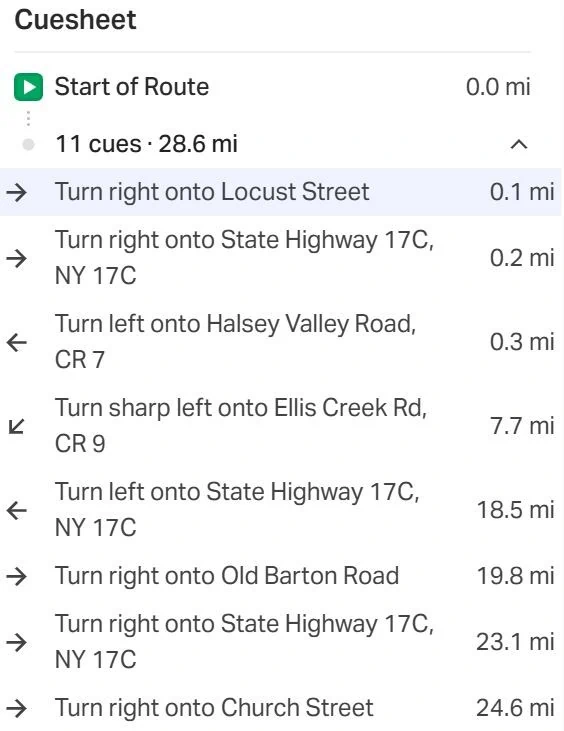
Route maps, elevation profiles, and cue sheets are included for each ride, and the club routes are searchable by location and name. Hard copies of maps and cue sheets can be printed, and Ride With GPS can also be used for logging routes.
This is a great free benefit for STBC members - these premium features normally cost individuals $10 a month through Ride With GPS.
How to access Ride With GPS STBC club account for the first time:
A free personal Ride With GPS account and STBC membership are all that is required.
First, create your free Ride With GPS account at https://ridewithgps.com. Please be sure your first and last name are shown in your personal account’s profile so we can recognize you as the owner of your account.
Then second, send an email to David Wells (stseverin120756@gmail.com) and Mark Goodwin (mark@goodwins.us) with “Ride With GPS” as the subject. Tell them you have created your own Ride With GPS personal account and would like to now be authorized to log in to the club’s account. They will verify that your membership is current and will give you access to the STBC club account. After you've received notice that you have access, enter STBC's club account signing into your personal account. From the ‘Dashboard’, click on the STBC logo, lower left of the screen. Then when the Home page of the club account appears click the orange "Sign into Club" button, and you are now authorized to download and navigate from any of the routes in the club’s route library.
For help, be sure to contact David Wells (stseverin120756@gmail.com) or Mark Goodwin (mark@goodwins.us).
Then second, send an email to David Wells (stseverin120756@gmail.com) and Mark Goodwin (mark@goodwins.us) with “Ride With GPS” as the subject. Tell them you have created your own Ride With GPS personal account and would like to now be authorized to log in to the club’s account. They will verify that your membership is current and will give you access to the STBC club account. After you've received notice that you have access, enter STBC's club account signing into your personal account. From the ‘Dashboard’, click on the STBC logo, lower left of the screen. Then when the Home page of the club account appears click the orange "Sign into Club" button, and you are now authorized to download and navigate from any of the routes in the club’s route library.
For help, be sure to contact David Wells (stseverin120756@gmail.com) or Mark Goodwin (mark@goodwins.us).